Process Cloud Hierarchy
The Process Cloud Hierarchy action builds and updates the hierarchical view of cloud resources for selected Configuration Items (CIs). This process maps cloud assets to their parent-child relationships, service dependencies, and resource group structures, providing a visual representation of cloud infrastructure within the CMDB.
To run the Process Cloud Hierarchy job, scanned discovery data or imported data (for example, from AWS or Juniper Mist) must be available in the CMDB. Without this data, the cloud hierarchy cannot be generated accurately.
Process Cloud Hierarchy creates relationships between CIs by matching IP address or host name. This applies to AWS, Azure, Cato Networks, and Juniper Mist blueprints: when a match is found, a Contains relationship is created between the parent CI (for example, an AWS account, Azure subscription, Cato site, or Juniper Mist Site) and the matching device. Relationship creation is not automatic at import time, and re-running the action does not create duplicate relationships.
-
Open the CMDB module in Virima.
-
Select the CIs (cloud-related assets) for hierarchy mapping.
-
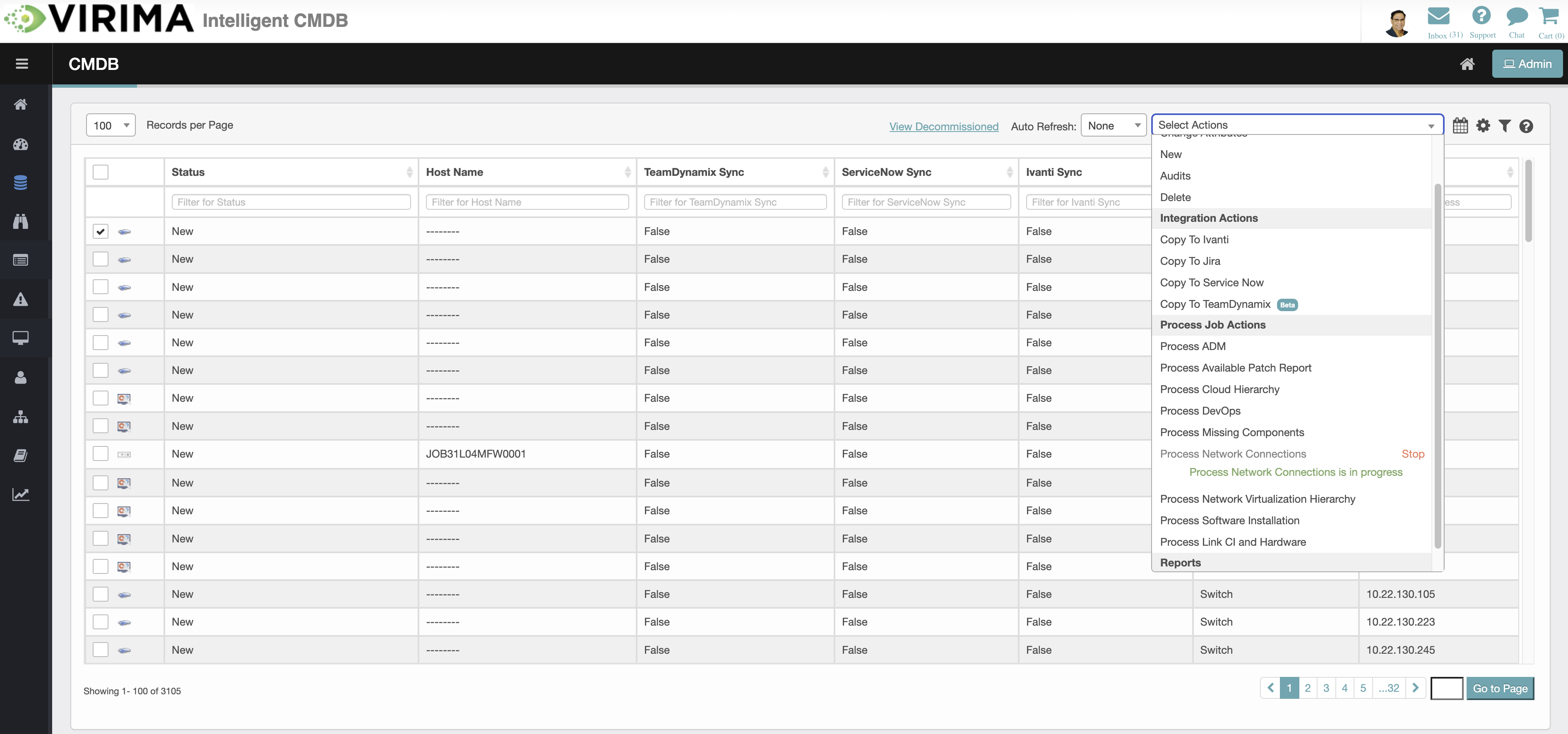
Click the Select Actions dropdown at the top-right of the CMDB list.
-
Choose Process Cloud Hierarchy from the dropdown.
-
The system retrieves cloud metadata and relationship details for the selected CIs.
-
It maps them into a hierarchical structure (e.g., accounts → resource groups → services → instances).
-
The processed hierarchy updates in the CMDB.
-
Review the structure in the Cloud Hierarchy view or other relevant visualization modules.
-
While the job runs, the Process Cloud Hierarchy option in Select Actions shows the job as in progress and offers a Stop option.